Check analysis certificate
An analysis certificate is only worth as much as its authenticity — a PDF or screenshot alone proves nothing, numbers are easily faked. Here's how to check a Janoshik certificate against the original database.
Opens the official Janoshik verification in a new tab. We don't confirm anything ourselves — only trust the result on janoshik.com, never a screenshot, PDF or third-party link (not even ours). PeptiChat is not affiliated with Janoshik.
Where do I find the values?
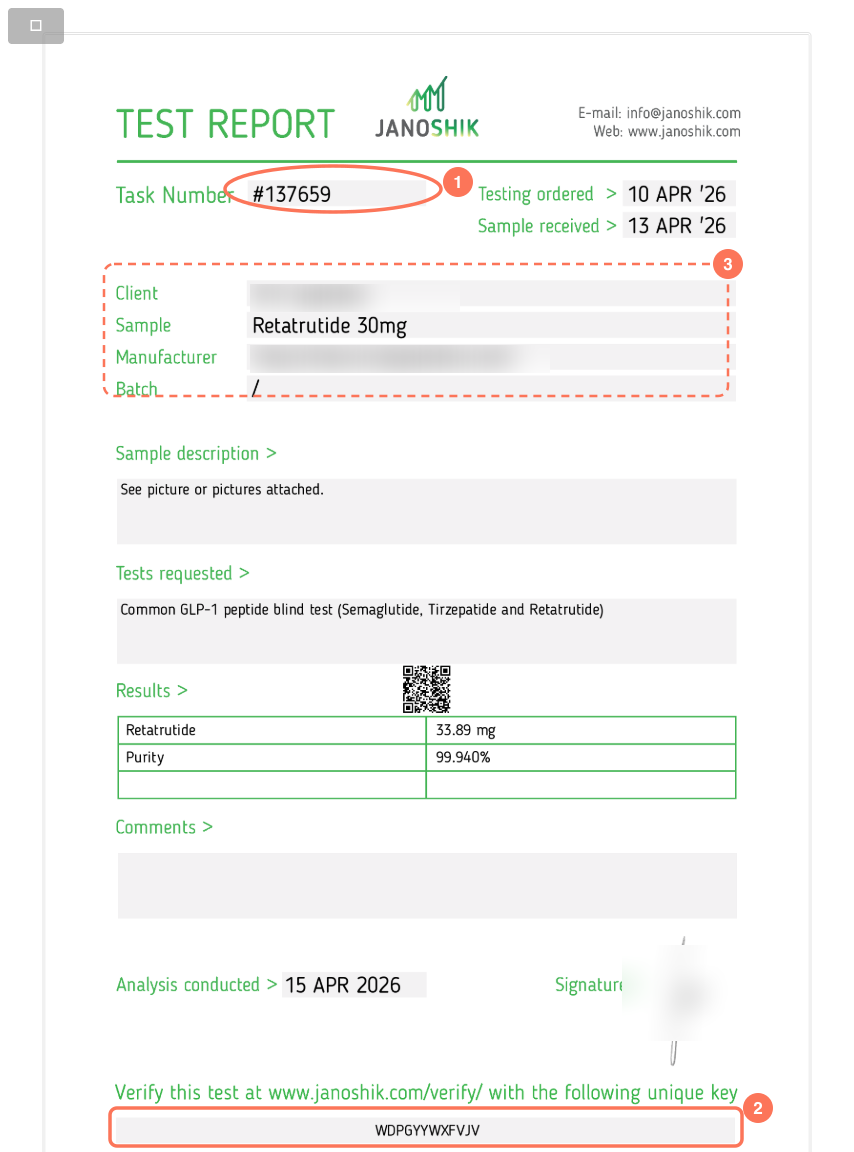
- 1Task numberThe first value at the top — enter it in the form above.
- 2Unique keyThe second value, usually at the very bottom of the certificate.
- 3Vendor & compoundSeller name, substance and amount — double-check that they match your order EXACTLY. Scammers often take a real certificate from someone else and put their own name on it.
Example: public Janoshik report (public.janoshik.com), vendor details blurred.
After checking — what a match looks like
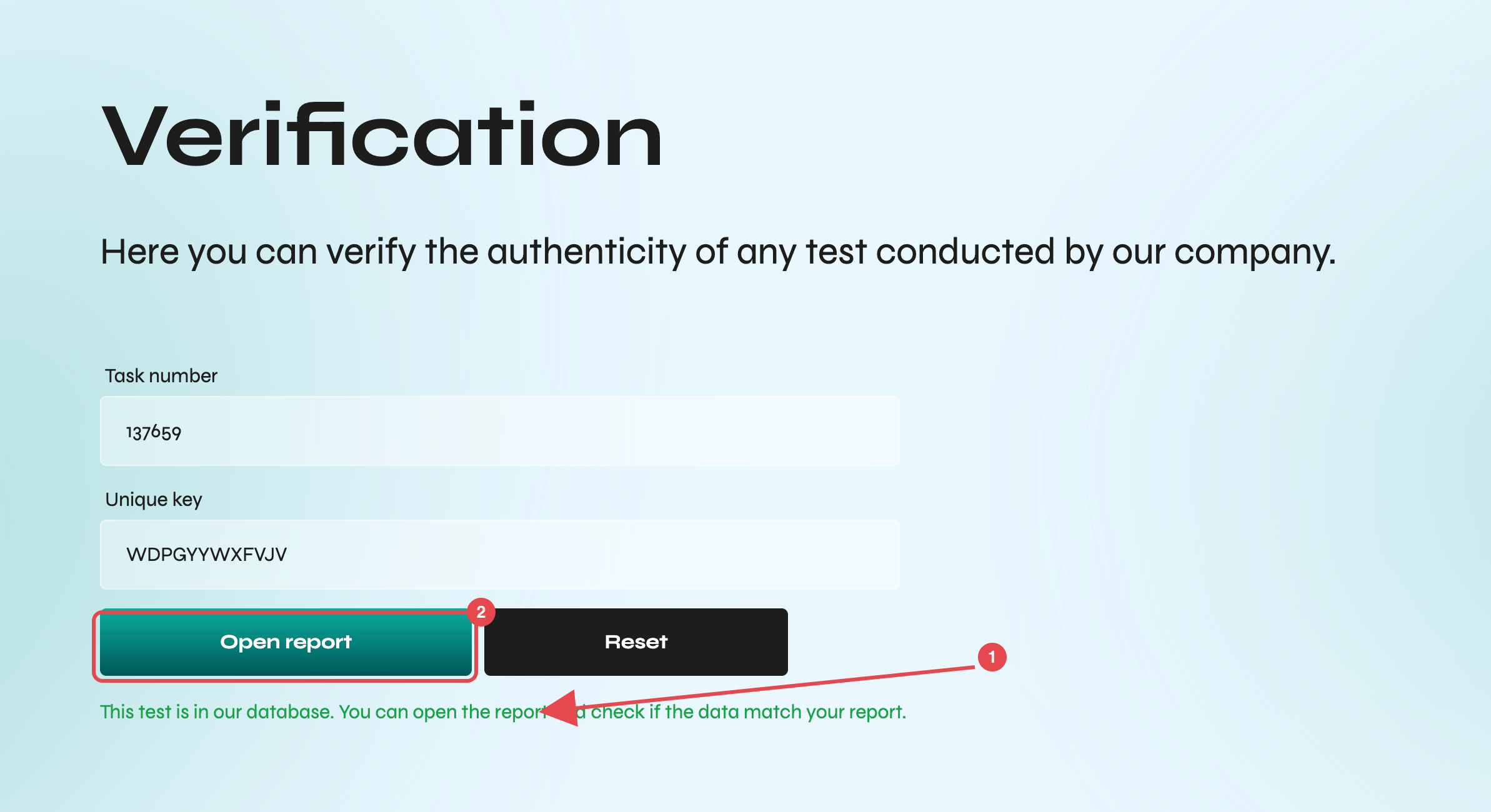
- 1"This test is in our database" (green)The green line means the test is registered with Janoshik. If it's missing or says "not found" → the certificate is not genuine. Stay away.
- 2Open "Open report" & compareOpen the original report and compare the compound, amount and vendor with YOUR order. A genuine certificate that belongs to someone else is useless to you.
How it works
What to watch out for — red flags
- Genuine certificate, but a different vendor, different substance or batch → scammers copy real Janoshik reports and pass them off as their own. The authenticity check only confirms the report — not that YOUR seller submitted it.
- Just a screenshot or PDF, without a verifiable task number + key → can't be verified, so it's worthless.
- The numbers in the PDF differ from the online verification → forged or edited.
- The seller sends you their own "verification link" → could be a fake domain. Always check yourself via janoshik.com.
- "Certificate" with no lab name, no methodology (HPLC/MS), just a pretty picture → not a real lab report.
Education & harm reduction — not medical or legal advice, not a purchase recommendation. PeptiChat is independent and not affiliated with Janoshik. Passing the authenticity check only confirms that the lab report is genuine — not the safety or legality of the substance.